Finally, after a few years waiting, Microsoft admits its implementation of DateTime serialization in web service is flawed, and made a breaking change to it. See the last item on this page: http://msdn.microsoft.com/netframework/programming/breakingchanges/runtime/xmlserial.aspx
In one sentence, under the old framework, only local time can be transmitted correctly by web service. If you save UTC time in database, and try to transmit using web service, bad luck. You will have to convert all the time in to your web server's local time, then send it out. And, on the other end, the receiving computer will have to convert again the date time to UTC time. And, under the hood the web server and receiving computer both did some conversion during XML serialization and de-serialization too. That is about 4 times CPU time wasted on the conversion that leads you back to where you started!!! Even worse, this behavior is not well documented in MSDN, and causes big confusion for developers.
I had to send an internal memo to all developers in my company to raise the awarness of this issue back in 2004. Really glad it finally gets attention and being resolved.
Friday, March 24, 2006


srand() and threads in MFC
This is an old problem I only run into recently: You should call
In its multi-thread version, the CRT implemenation in VC++6.0 will save seed to thread local storage. So, it is necessary to seed the
srand() for each and every thread that calls rand().In its multi-thread version, the CRT implemenation in VC++6.0 will save seed to thread local storage. So, it is necessary to seed the
rand() function in every new thread your program created. Otherwise, the random number sequence is same as if seeded by 1. This poses 2 serious questions:- How can I write a class that is thread safe, and caller won't have to worry about calling srand() whenever they create a new thread? I do not have a solution yet. The best I can think of is to ask callers, when not sure, always call
srand()whenever a new thread is created; - A second question is what if user creates multiple threads in a batch, this will make the recommended intialization code:
srand( (unsigned) time(NULL));fail, because the threads are created within 1 second, and you will get the same sequence in all your threads. After some searching, I found this discussion thread to be quite helpful: It proposed to multiply time by the thread ID to seedrand().
Using Transition Channel in Macromedia Director
I tried the transition channel in Macromedia Director MX 2004 recently. It
turns out to be quite tricky to use it correctly. At first, I just double clicked
in the score and selected a transition effect. And it works immediately. What
a relief, it is as easy as PowerPoint. Soon, I realized that I was wrong.
The first problems showed up after I tried to add some Lingo scripts to the
frame with transition effect.
First, I want the movie to loop on the frame until user clicks some
button. I find that the movie becomes extremely slow on this frame, and the movie takes about
50% CPU time. Then, in the "Using Director" online help, I found this
warning:
tricky issue I have with transition channel.
However, it took me longer than it should be to fingure out the above problem, because
I used the "Dissolve Patterns" transition effect. It won't show any visual changes
when I am looping the frame, although it still takes 50% CPU time to calculate
the transition effect. This fooled me into believing it only did the transition
once and stopped, and was not suspecious of the transition being the source
of performance problem on that frame. If I had used the "Cover Up"
transition, I should have seen the screen repeatedly rolling up, and discover
the problem in the first test run.
The second issue appears when I am trying to add a sprite to show me the current
frame number. I first added a text
member to the lower left corner of the stage like this:
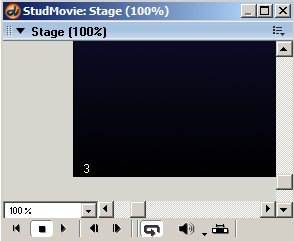
Then I added this behavior to the
sprite:
Again, the transition stopped working, the screen just freeze for 2 seconds (the default
duration used by the transition) then move on. I have not found any document
about this problem yet. But, my investigation showed that the offending code
is the highlighted line above. If I run the same code in
The lessons:
turns out to be quite tricky to use it correctly. At first, I just double clicked
in the score and selected a transition effect. And it works immediately. What
a relief, it is as easy as PowerPoint. Soon, I realized that I was wrong.
The first problems showed up after I tried to add some Lingo scripts to the
frame with transition effect.
First, I want the movie to loop on the frame until user clicks some
button. I find that the movie becomes extremely slow on this frame, and the movie takes about
50% CPU time. Then, in the "Using Director" online help, I found this
warning:
- Avoid looping on a frame that contains a transition. Playing a transition continuously
might cause performance issues.
tricky issue I have with transition channel.
However, it took me longer than it should be to fingure out the above problem, because
I used the "Dissolve Patterns" transition effect. It won't show any visual changes
when I am looping the frame, although it still takes 50% CPU time to calculate
the transition effect. This fooled me into believing it only did the transition
once and stopped, and was not suspecious of the transition being the source
of performance problem on that frame. If I had used the "Cover Up"
transition, I should have seen the screen repeatedly rolling up, and discover
the problem in the first test run.
The second issue appears when I am trying to add a sprite to show me the current
frame number. I first added a text
member to the lower left corner of the stage like this:
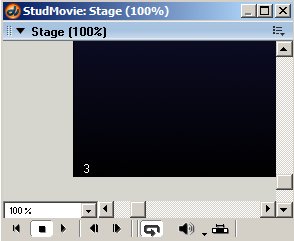
Then I added this behavior to the
sprite:
on prepareFrame me
 frameString = "" && _movie.frame
 if(frameString <> member("FrameNumber").text) then
   member("FrameNumber").text = frameString
 end if
end
Again, the transition stopped working, the screen just freeze for 2 seconds (the default
duration used by the transition) then move on. I have not found any document
about this problem yet. But, my investigation showed that the offending code
is the highlighted line above. If I run the same code in
enterFrame event handler, it won't be a problem. Or if I remove the line from prepareFrame handler, the transition will showup normally. I am not sure why is this a problem. For now, I will just avoid doing anything like this on a transition frame.The lessons:
- Never loop on a frame that contains a transition;
- Do not change a text member's text property in "
prepareFrame"
event of the transition frame (there may be a more general description about this problem);
Tuesday, February 07, 2006
Permission of "Network Configuration Operators" group
The permission for the "
But, there is no language specifically about wireless network configuration
in the KB. So I set out to do a little test. It turns out "
But, can NOT: change firewall settings.
For the sake of completeness, I include Microsoft's list below.
Network Configuration Operators" group is documented in Microsoft's knowledge base 297938.But, there is no language specifically about wireless network configuration
in the KB. So I set out to do a little test. It turns out "
Network Configuration Operators" can:- Disable, enable wireless adapter and configure wireless connection properties.
- Change IP filter setting of TCP/IP protocol.
But, can NOT: change firewall settings.
For the sake of completeness, I include Microsoft's list below.
- Modify the Transmission Control Protocol/Internet Protocol (TCP/IP) properties
for a local area network (LAN) connection, which includes the IP address,
the subnet mask, the default gateway, and the name servers. - Rename the LAN connections or remote access connections that are available
to all of the users. - Enable or disable a LAN connection.
- Modify the properties of all of the remote access connections of the user.
- Delete all of the remote access connections of the user.
- Rename all of the remote access connections of the user.
- Issue ipconfig, release, or renew commands.
Wednesday, January 25, 2006
HTML Validator (Firefox Extension)
Recently, I discovered this tool. And it soon becomes the "must-have" tool for me. I develop web pages using ASP.NET. I always call
In this case, I grabbed a piece of text from database and inserted it into the web page as tooltip. I called
Of course it is wrong. You will only see this tooltip: "blogger". But, no web browsers have complained about this. And no users complained about this (well, they just don't know what they should see). I bet it won't be noticed by anybody not for this wonderful extension.
Link to this extension:
https://addons.mozilla.org/extensions/moreinfo.php?id=249&application=firefox
HtmlEncode function before I insert any text from database to web page. But, there is one problem this function call won't solve. And I didn't notice this problem until I used the "HTML Validator" tool to inspect all the web pages I created.In this case, I grabbed a piece of text from database and inserted it into the web page as tooltip. I called
HtmlEncode function before inserting the text to the "title" attribute. Guess what, I forgot one thing: replace the single quote "'"! So, HTML like this can be generated.<span title="'blogger's">space<font>Of course it is wrong. You will only see this tooltip: "blogger". But, no web browsers have complained about this. And no users complained about this (well, they just don't know what they should see). I bet it won't be noticed by anybody not for this wonderful extension.
Link to this extension:
https://addons.mozilla.org/extensions/moreinfo.php?id=249&application=firefox
Tuesday, January 17, 2006
FlashBlock (Firefox extension)
I only have 3 Firefox extensions installed. FlashBlock is one of them.
Pros: It replaces flash animation with a button which user can click to start the flash content. Since 99% of flash contents on the web are Ads that just distract your attention from reading and slow down the CPU, this extension is a big saver. It also has a white list option to allow some customization.
Cons: Uninstall is not as easy as install. There are other known problems.
Pros: It replaces flash animation with a button which user can click to start the flash content. Since 99% of flash contents on the web are Ads that just distract your attention from reading and slow down the CPU, this extension is a big saver. It also has a white list option to allow some customization.
Cons: Uninstall is not as easy as install. There are other known problems.
Thursday, January 12, 2006
Dialog Data Validation for MFC
Problem: Data validation in MFC is a bit difficult. We only get
a couple of DDV functions that left a lot to be desired. For example, there is
no easy way to make sure a “Dropdown Combo Box” is not empty.
Solution: After some searching in MSDN documents and
googling, I cannot find a good clean solution. But, I am inspired by the MFC
source code and found the following solution.
In the "DoDataExchange" function of your dialog, you only need to add a few
lines of code (highlighted below) to validate an empty combo box.
Following this logic, you can easily add more sophiscate validation logic, and
make sure the focus will be set to the control that you want user to change.
void CMyDlg::DoDataExchange(CDataExchange* pDX)
{
  CMyDlg::DoDataExchange(pDX);
  //{{AFX_DATA_MAP(CTaskMTTPage)
  DDX_CBString(pDX, IDC_COMBOFILENAME, m_strFilename);
  //}}AFX_DATA_MAP

  //customized data verification
  if(pDX->m_bSaveAndValidate)
  {
      //we will only check data during validation
      if(m_strFilename.IsEmpty())
      {
          CString errorMessage = "The file name field cannot be empty.";
          AfxMessageBox(errorMessage, MB_ICONEXCLAMATION);
          errorMessage.Empty();

          pDX->PrepareCtrl(IDC_COMBOFILENAME); //make sure pDX will focus to this control
          pDX->Fail();
      }
  }

}
Extra: In the process of searching for the solution mentioned
above, I found this interesting problem: VC7 and VC98 have slightly different
definition of public members of CDataExchange class (notice the highlighted
code segment below). Why should Microsoft change definition of public member of
their library? Isn't public member supposed to be some sort of binding
contract?
Another interesting discovery is that Visual Studio intell-sense won't show "m_hWndLastControl"
although it is public member of the class. Did I miss something here?
Why do I care about this obscure member of CDataExchange? Well, I
am trying to find a way to make sure the dialog will set focus on the correct
control after an error condition occurs. My first intent was to manipulate the
m_hWndLastControlm_idLastControl member, thus lead
to the discovery. Eventually, I found out calling function PrepareCtrl
is a much better solution.
Definition of class
CDataExchange in VC98 include:
// CDataExchange - for data exchange and validation
class CDataExchange
{
// Attributes
public:
BOOL m_bSaveAndValidate;   // TRUE => save and validate data
CWnd* m_pDlgWnd;           // container usually a dialog

// Operations (for implementors of DDX and DDV procs)
HWND PrepareCtrl(int nIDC);     // return HWND of control
HWND PrepareEditCtrl(int nIDC); // return HWND of control
void Fail();                    // will throw exception

#ifndef _AFX_NO_OCC_SUPPORT
CWnd* PrepareOleCtrl(int nIDC); // for OLE controls in dialog
#endif

// Implementation
CDataExchange(CWnd* pDlgWnd, BOOL bSaveAndValidate);

HWND m_hWndLastControl;    // last control used (for validation)
BOOL m_bEditLastControl;   // last control was an edit item
};
Definition of class
CDataExchange in VC7 include:
// CDataExchange - for data exchange and validation
class CDataExchange
{
// Attributes
public:
BOOL m_bSaveAndValidate;   // TRUE =>  save and validate data
CWnd* m_pDlgWnd;           // container usually a dialog

// Operations (for implementors of DDX and DDV procs)
HWND PrepareCtrl(int nIDC);
HWND PrepareEditCtrl(int nIDC);
void Fail();                    // will throw exception

CDataExchange(CWnd* pDlgWnd, BOOL bSaveAndValidate);

#ifndef _AFX_NO_OCC_SUPPORT
COleControlSite* PrepareOleCtrl(int nIDC); // for OLE controls in dialog
#endif

// Implementation
UINT m_idLastControl;      // last control used (for validation)
BOOL m_bEditLastControl;   // last control was an edit item
};
Friday, December 30, 2005
"SelectAll" CheckBox for DataGrid Web Control in ASP.NET
Goal: Assuming you have already added a checkbox column to
the DataGrid web control using TemplateColumn. Now you want to add a
checkbox in the header of this column to select/clear all the
checkboxes in the column.
Solution: besides adding the select all check box to the
DataGrid, you will only need 3 JavaScript functions and 2 lines of
code to accomplish this.
1. Add a CheckBox to the HeaderTemplate of the checkbox column.
Set the name to:
the name of ItemTemplate + "SelectAll";
2. In the code-behind, "Page_Load" function add this:
string scriptString = "<script language='javascript'>\n" +
"<!-- Hide script from old browsers.\n" +
"bindSelectAllCheckBox(" +
"'CheckBoxCol'" + //unfortunately, this is a hard-coded name of checkbox
",'" +
[YourDataGrid].ClientID + //replace with the name of your datagrid
  "')" + "\n"+
"// End of hiding here. -->\n" +
"</script>";
RegisterStartupScript("CBSelectAll", scriptString);
3. The Javascript:
var gSelectAllTable; //global class to save information
function SelectAllCB_Click()
{
var bChecked = gSelectAllTable.SelectAllCB.checked;
var numCBs = gSelectAllTable.CheckBoxes.length
for(var i = 0; i < numCBs; i++)
{
        gSelectAllTable.CheckBoxes[i].checked = bChecked;
}
gSelectAllTable.NumChecked = (bChecked) ? numCBs : 0;
}

function CheckBox_Click()
{
gSelectAllTable.NumChecked += this.checked ? 1 : -1;
gSelectAllTable.SelectAllCB.checked =
(gSelectAllTable.NumChecked == gSelectAllTable.CheckBoxes.length) ? true : false;
}

function bindSelectAllCheckBox(cbASPID, tableID)
//Assumptions:
//      1. only one such select check box is implemented on a page
//      2. the SelectAll check box's ID is composed  "SelectAll"
//Parameters:
//      cbASPID:  ID (not ClientID) of the checkboxes
//      tableID:  ClientID of the table whose checkboxes will be selected
{
//regular expression for checkbox
var re = new RegExp(':' + cbASPID + '$');
//regex for select all
var reall = new RegExp(':' + cbASPID + 'SelectAll$');
gSelectAllTable = document.getElementById(tableID);
gSelectAllTable.CheckBoxes = new Array();
gSelectAllTable.NumChecked = 0;
var cbCount = 0;

if(gSelectAllTable)
{
        var fm = document.forms[0];
        for(var i = 0; i < fm.elements.length; i++)
        {
                elm = fm.elements[i];
                if(elm.type == 'checkbox')
                {
                        if(reall.test(elm.name))
                        { //select all check box
                                gSelectAllTable.SelectAllCB = elm;
                                elm.onclick = SelectAllCB_Click;
                        }
                        else if(re.test(elm.name))
                        { //other check boxes
                                gSelectAllTable.CheckBoxes[cbCount] = elm;
                                cbCount++;
                                if(elm.checked)
                                {
                                        gSelectAllTable.NumChecked++;
                                }
                                elm.onclick = CheckBox_Click;
                        }
                }
        }

}
}
What can be improved:
The ID of CheckBox is hardcoded.We cannot catch any typo in compile time.
This implementation cannot handle 2 or more such DataGrid on one page;
This implementation cannot handle CheckBox in "EditItemTemplate";
This implementation is inspired by:
DHTML Utopia: Modern Web Design Using JavaScript & DOM:
http://www.sitepoint.com/books/dhtml1/?SID=878198150071901bb10971055cb72d00Yahoo Email: http://mail.yahoo.com
Print pages from [X] to [Y] in Adobe Reader
Ever feel frustrated when you are trying to print chapters of an e-book in Adobe Reader? Let's assume you want to start at page 1 of the book which is actually page 23 in the file (because there are 22 pages of book cover and table on contents before it). If you type 23 in the from box, you may get the real page 23 which is 22 pages after the page you want to print. So, you change that number to 1, guess what, you get the book cover.
If you don't know what I am talking about, don't try to understand the paragraph above. The tips below are still useful. They will give you more confidence in knowing what pages are sent to the printer:
1. In Edit->Preferences, select "Page Display", and uncheck "Use logical page numbers";
2. Enclose the page number with "(" and ")" to get absolute page numbering;
If you don't know what I am talking about, don't try to understand the paragraph above. The tips below are still useful. They will give you more confidence in knowing what pages are sent to the printer:
1. In Edit->Preferences, select "Page Display", and uncheck "Use logical page numbers";
2. Enclose the page number with "(" and ")" to get absolute page numbering;

Wednesday, July 06, 2005
What is the "Shortened" NetBIOS name?
 While changing a computer's name in Windows XP SP2. I get this dialog. I cannot figure out where to find this "shortened" NetBIOS name in Windows GUI. A look at the "Full Computer Name" still show me the long name. However, the short name is the only recognized name in many window API calls. Hmmm, wish me know a way to quickly check if a computer's name has been shortened without having to count the length of full computer name.
Subscribe to:
Posts (Atom)